

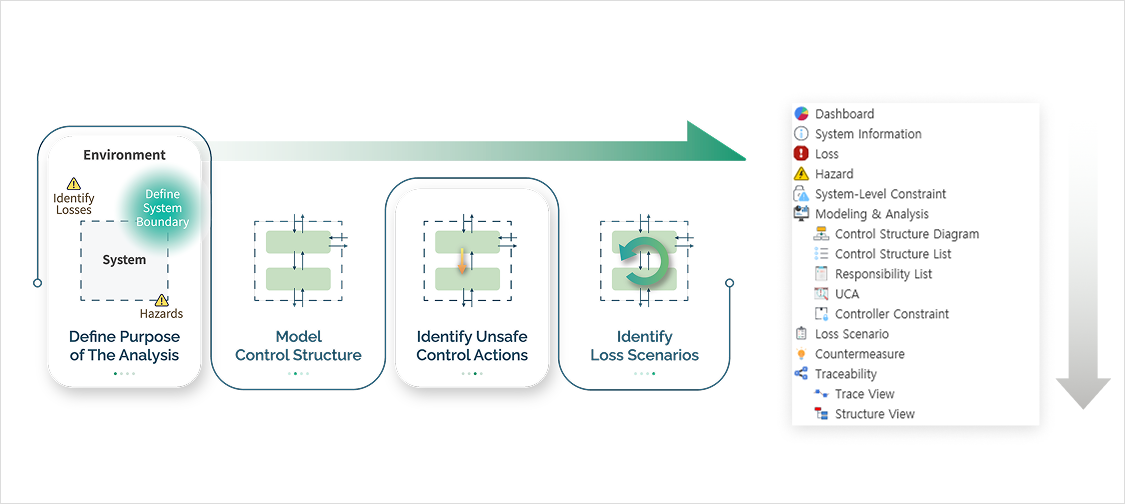
VisualPro STPA is a software tool for System-Theoretic Process Analysis (STPA). It walks you through the four steps of the MIT STPA Handbook — losses and hazards, the control structure, unsafe control actions (UCAs) and loss scenarios — and keeps every result traceable from loss to countermeasure.
Safety engineers use it for automotive, aviation, semiconductor, robotics and defense systems, and for cybersecurity work through STPA-Sec. A free Lite version covers every STPA step.
STPA (System-Theoretic Process Analysis) is a hazard analysis method developed by Professor Nancy Leveson at MIT. Instead of looking at component failures one at a time, it treats safety as a control problem: accidents happen when the interactions between controllers, software, people and the physical process are not adequately controlled.
That is why STPA finds hazards in complex software, human factors and interfaces that FMEA and FTA often miss. The method is described in the STPA Handbook (Leveson & Thomas, MIT, 2018).
For the full method, standards and examples, see our STPA guide.
Step 1 — Define losses, hazards and system-level constraints
Start by stating what must not be lost, the system-level hazards that lead to those losses, and the constraints that prevent them. VisualPro's step-by-step menus follow the Handbook order, so each hazard stays linked to its losses, and you can add your own fields at every stage.
Step 2 — Model the control structure
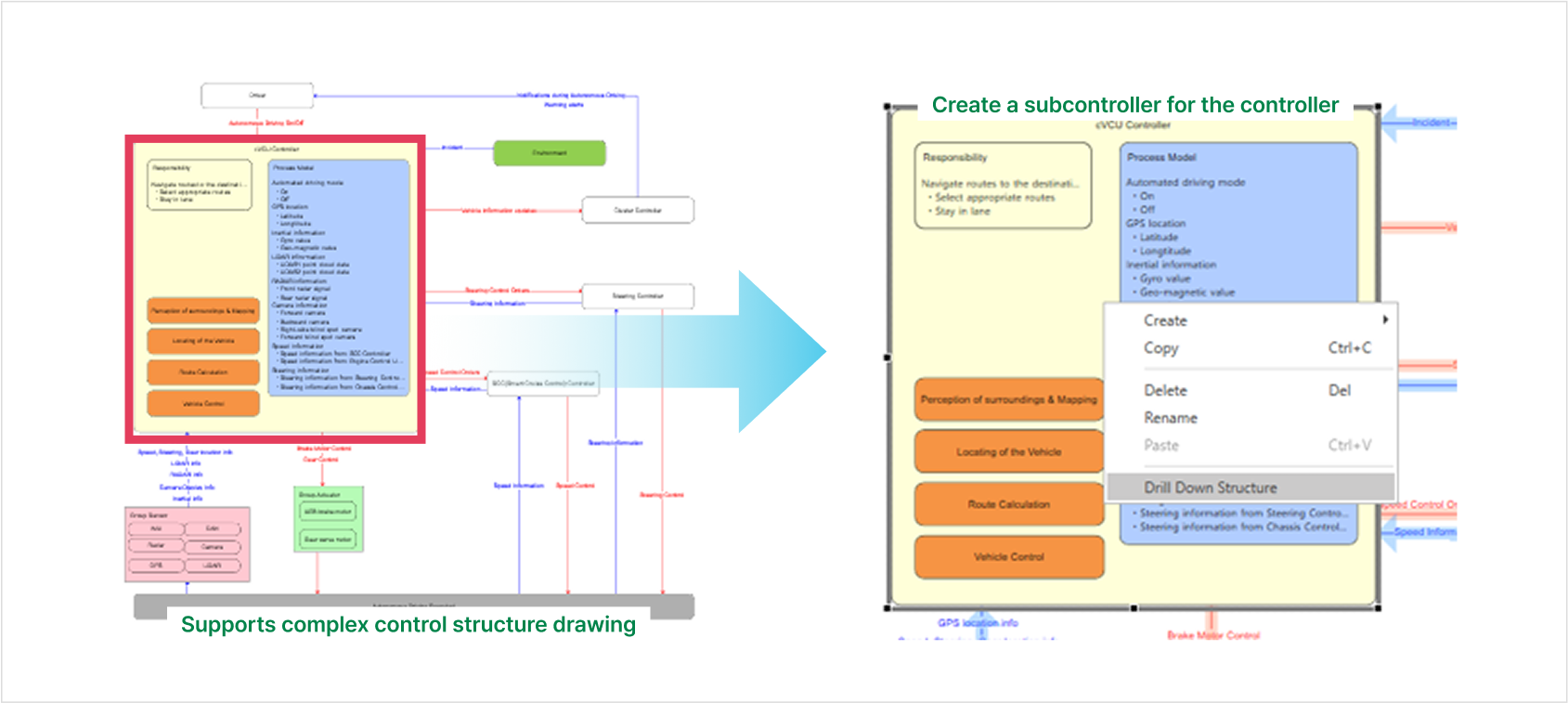
Draw controllers, actuators, sensors and controlled processes with dedicated control-structure tools. Choose a drawing style, save structures as templates, edit the control-action list as a table and export it to Excel. The standard version adds drill-down control structures.
Step 3 — Identify unsafe control actions (UCAs)
VisualPro generates UCA candidates from the process model of each controller, using the four UCA types of the Handbook: not providing the action causes a hazard; providing it causes a hazard; providing it too early, too late or in the wrong order; and stopping it too soon or applying it too long. You decide which candidates become UCAs and link each one to its hazards. UCA types are configurable.
Step 4 — Develop loss scenarios
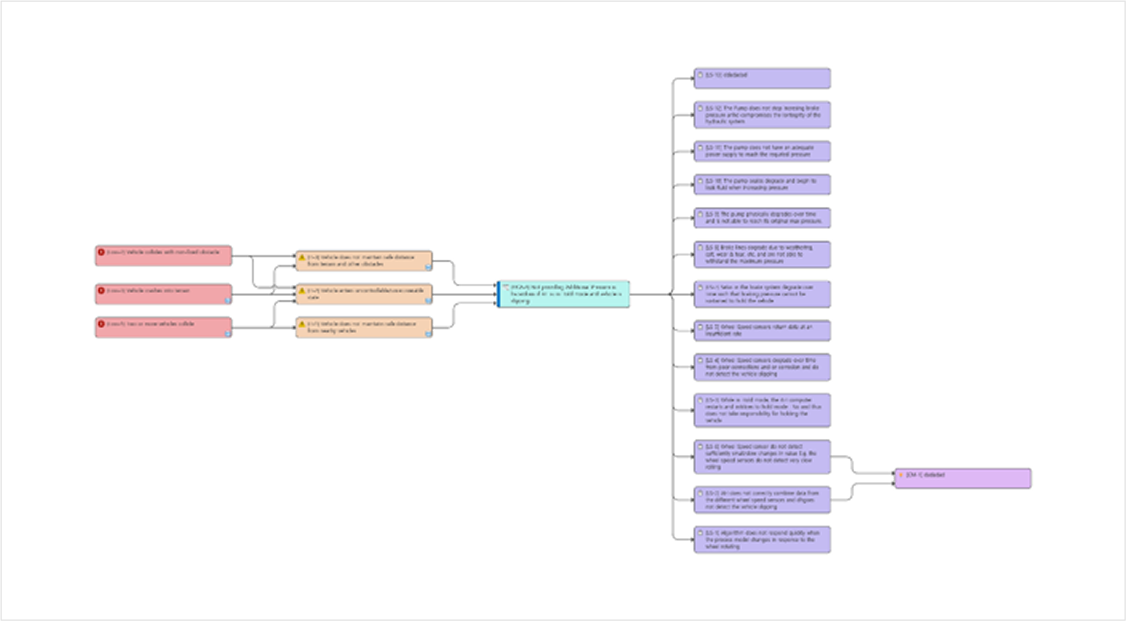
For each UCA, VisualPro drafts loss scenarios from the guidewords in the 2018 STPA Handbook, covering flaws inside the control loop (wrong process model, missing feedback, sensor and actuator problems) as well as unsafe controller behavior. A mitigation and guideword library speeds up repeated work, and every scenario stays traceable to its UCA, hazard, loss and countermeasure.
Automatic Report Generation
Dashboard Support
STPA-Sec Support
Automatic UCA Generation
Data Search Function
Automatic Loss Scenario Generation
User-Defined Custom Fields
Integration with External Tools (Jira, Teamer, etc.)
Various Control Structure Styles
STPA-Sec applies the same steps to security: VisualPro supports it with the STRIDE threat model, so safety and security hazards are analysed in one control structure. For accident investigation, the CAST module applies the STAMP model to events that have already happened.
VisualPro supports the Model Context Protocol (MCP), so AI agents such as Claude can read your control structure and draft UCA candidates and loss scenarios in conversation. The AI drafts; the analyst reviews and decides what enters the analysis. Step-by-step connection guides are available for Claude Desktop, Claude Code, OpenAI Codex, Opencode and DeepSeek GUI (KUN).
See VisualPro AI (STPA) for how AI supports each of the four steps.
6 → 26 loss scenarios in half a day — re-verifying a semiconductor fab's integrated-safety STPA with MCP. Read the report
At least 10× the STPA scale — a customer exploring STPA for a national electricity grid compared the commercial tools on the MIT PSAS list and chose VisualPro. Read the case study
+38 additional causes compared with FMEA on the same EPS system, presented at AutoSoft Dialogue #23, Shanghai. Read the field report
Listed among the STPA tools on the MIT PSAS STAMP Tools page (as VisualPro SA).
TÜV-SGS certified: “VisualPro, Software for Supporting ISO 26262 Functional Safety Analysis”.
Presented at the MIT STAMP Workshop and the Asian STAMP Workshop.
VisualPro Lite is free and includes every STPA step, UCA and loss-scenario generation, STPA-Sec and traceability, with up to 40 UCAs and 80 loss scenarios per project. The standard version removes these limits and adds report export and drill-down control structures.
What is an STPA tool?
An STPA tool supports the four steps of System-Theoretic Process Analysis: defining losses and hazards, modelling the control structure, identifying unsafe control actions and developing loss scenarios. A dedicated tool keeps these items linked, so a change to a hazard or control action shows where the rest of the analysis is affected. VisualPro STPA does this and generates candidates at steps 3 and 4.
Can STPA be automated?
Partly. VisualPro generates UCA candidates from process models and drafts loss scenarios from Handbook guidewords, and AI agents connected through MCP can draft both in conversation. Deciding which hazards are real and which countermeasures are adequate remains the analyst's job; the tool keeps that decision traceable.
Does VisualPro follow the MIT STPA Handbook?
Yes. The menus follow the Handbook's four steps, UCAs use its four UCA types, and loss scenarios are drafted from the 2018 Handbook guidewords.
Is there a free version?
Yes. VisualPro Lite is free and covers every STPA step, with up to 40 UCAs and 80 loss scenarios. Report export and drill-down control structures need the standard version.
Which AI models can be connected?
Any AI agent that supports the Model Context Protocol (MCP). We publish connection guides for Claude Desktop, Claude Code, OpenAI Codex, Opencode and DeepSeek GUI (KUN).
Does it support security analysis?
Yes. STPA-Sec is supported with the STRIDE threat model, and TARA for ISO/SAE 21434 is available as a separate VisualPro module.